The workflow
- Count stock. Nominated staff count on their phone, in cartons and packs. Each count saves as they tap, with Undo.
- See what needs replenishing. Every item shows green or red against its minimum, and a restock list builds itself.
- Prepare purchase orders. When the stock check is finished, one tap drafts an order for every supplier on its restock list. Quantities start at the suggested amount.
- Approve and send. Staff submit the order; an owner approves it and CrewConnect emails the supplier a branded PDF.
- Record the delivery. Whoever's on shift marks it received, short lines included, and stock updates itself.
1. Counting stock on a phone
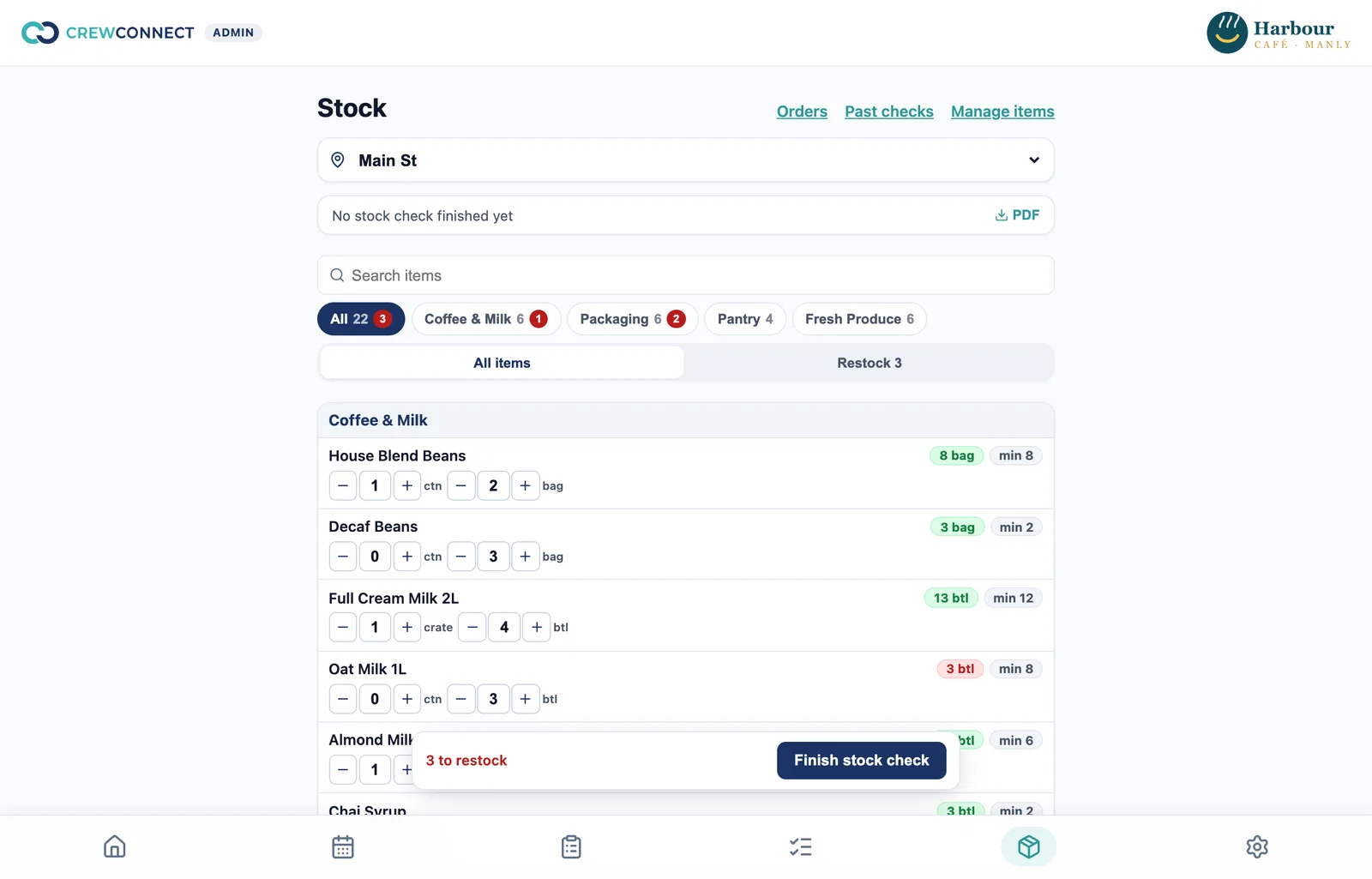
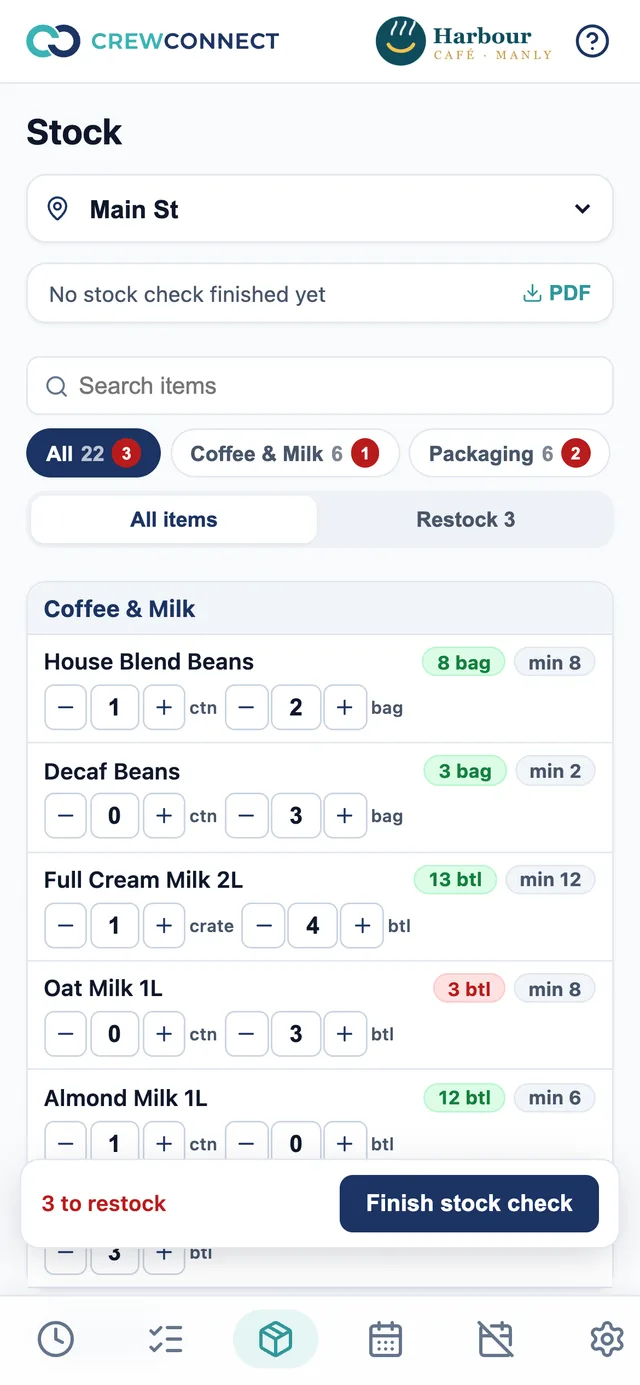
- Stock is kept per location, grouped into categories such as dairy, coffee, packaging and cleaning.
- Items are counted the way they arrive: cartons and the packs inside them, with half-steps for an opened carton.
- You choose who counts. Stock checkers don't need to be managers.
- For fresh produce, a category can work as an order list: the checker records how much to buy instead of counting what's there.
- Finish a stock check to freeze it. You keep the history and can print a stock register as a PDF.
2. A restock list that builds itself
Each item has a minimum and, optionally, a target level. Anything below its minimum goes on the restock list. The suggested quantity tops it back up to the target, takes off anything already on order, and rounds up to whole cartons, so you don't order milk that's already on the truck.
3. Purchase orders, approved before they go
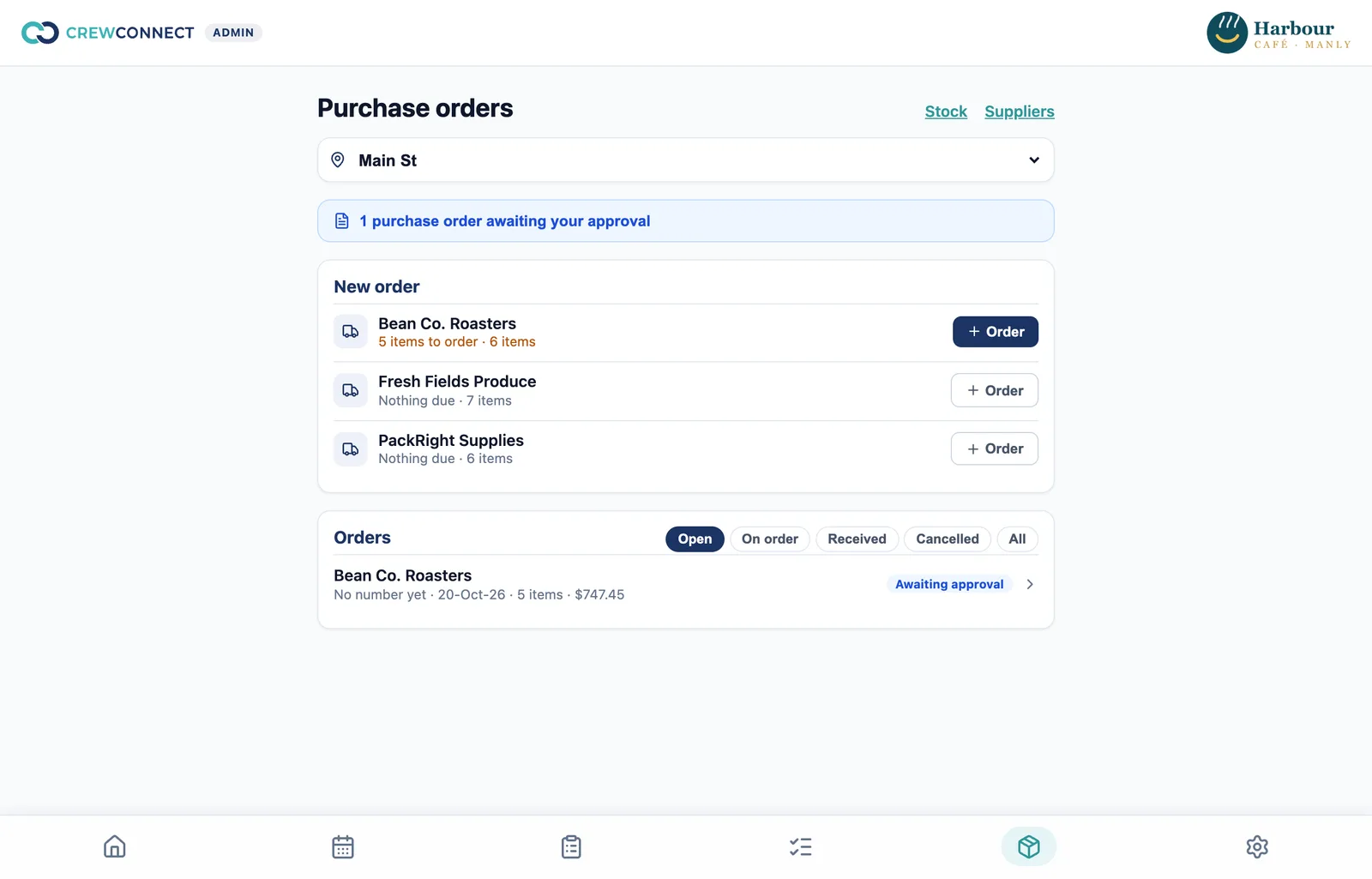
- Finish a stock check, then tap Create purchase orders: one draft per supplier with something to order. Staff can adjust quantities before submitting.
- An owner approves and sends. Staff can prepare orders but can't send them.
- Each order gets a number by location, supplier and financial year, with your own prefix if you want one.
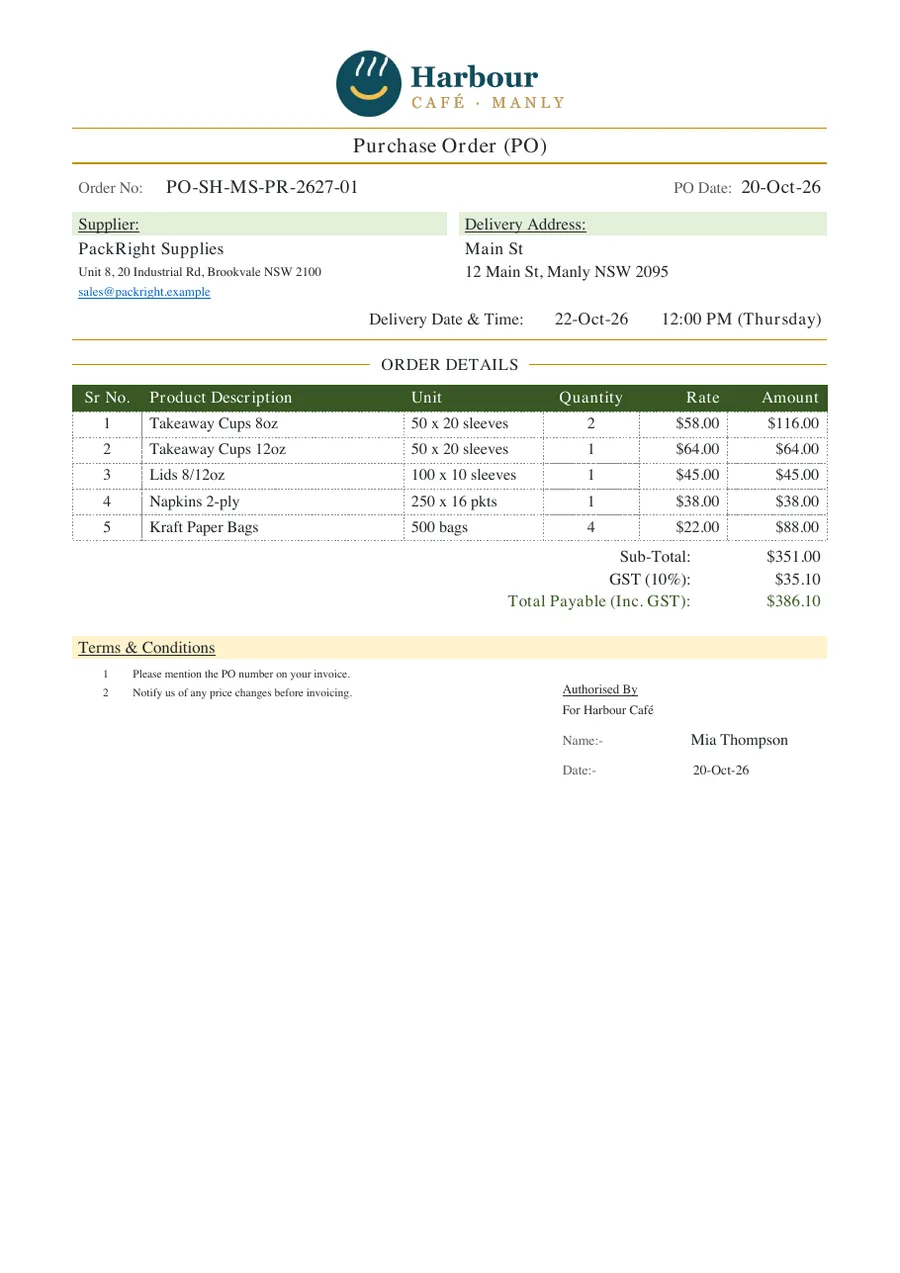
- The PDF carries your logo, the supplier and delivery details, delivery date, the order lines and your terms. You choose per supplier whether prices, GST and totals are shown.
- The supplier receives it by email, with your order email in CC so replies come back to you.
4. Recording the delivery
When the delivery arrives, any staff member at that location can mark the order received. They enter what actually came for each line. Only that quantity is added to stock, short lines are recorded, and items still on order aren't suggested again.
Why it lives next to the roster
In a café, the person who notices the milk is low is usually the barista on the morning shift, not the owner. Because stock, ordering and the roster are in one app, the same staff who clock in can count, and you can see who counted and when. If you also run opening and closing checklists, a closing task can be "count the dairy fridge".
What it doesn't do
- It doesn't read sales from your POS, so stock goes down when you count it, not when you sell it.
- It doesn't do recipe costing or track wastage.
- Purchase orders aren't sent to your accounting software.
What it costs
Stock control and purchase orders are on Pro: A$5 per user per month, any team size, with 50% off for the first 3 months for new customers. We set up your stock items and suppliers for free from the lists you use today.
Questions
Can staff who aren't managers do stock counts?
Yes. You nominate stock checkers, and they count on their phones at any location. Managers can view stock read-only.
How does the restock list work out how much to order?
For each item you set a minimum and a target level. Anything below its minimum goes on the list, with a suggested quantity that tops it back up to the target, less anything already on order, rounded up to whole cartons.
How do purchase orders reach the supplier?
An owner approves the order and CrewConnect emails the supplier a branded PDF, with your order email in CC. A failed email can be resent.
What happens when a delivery is short?
Whoever marks it received enters what actually arrived for each line. Only that is added to stock, and the short lines are recorded in the change log.
Does it connect to my POS or accounting software?
No. Stock levels come from counts on the phone and from deliveries you mark received, not from sales in your POS. Purchase orders are PDFs; they aren't sent to Xero or MYOB.
Is stock control included in the free plan?
No. Stock control and purchase orders are on Pro, at A$5 per user per month, with 50% off for the first 3 months for new customers.
Try it free — we'll set it up for you.
Starter is free for up to 5 staff. Pro adds checklists, stock and purchase orders, 50% off for your first 3 months. Free setup on every plan, with support from Australia.