How it works
- You publish the roster. Each shift has a person, a location and a start and finish time.
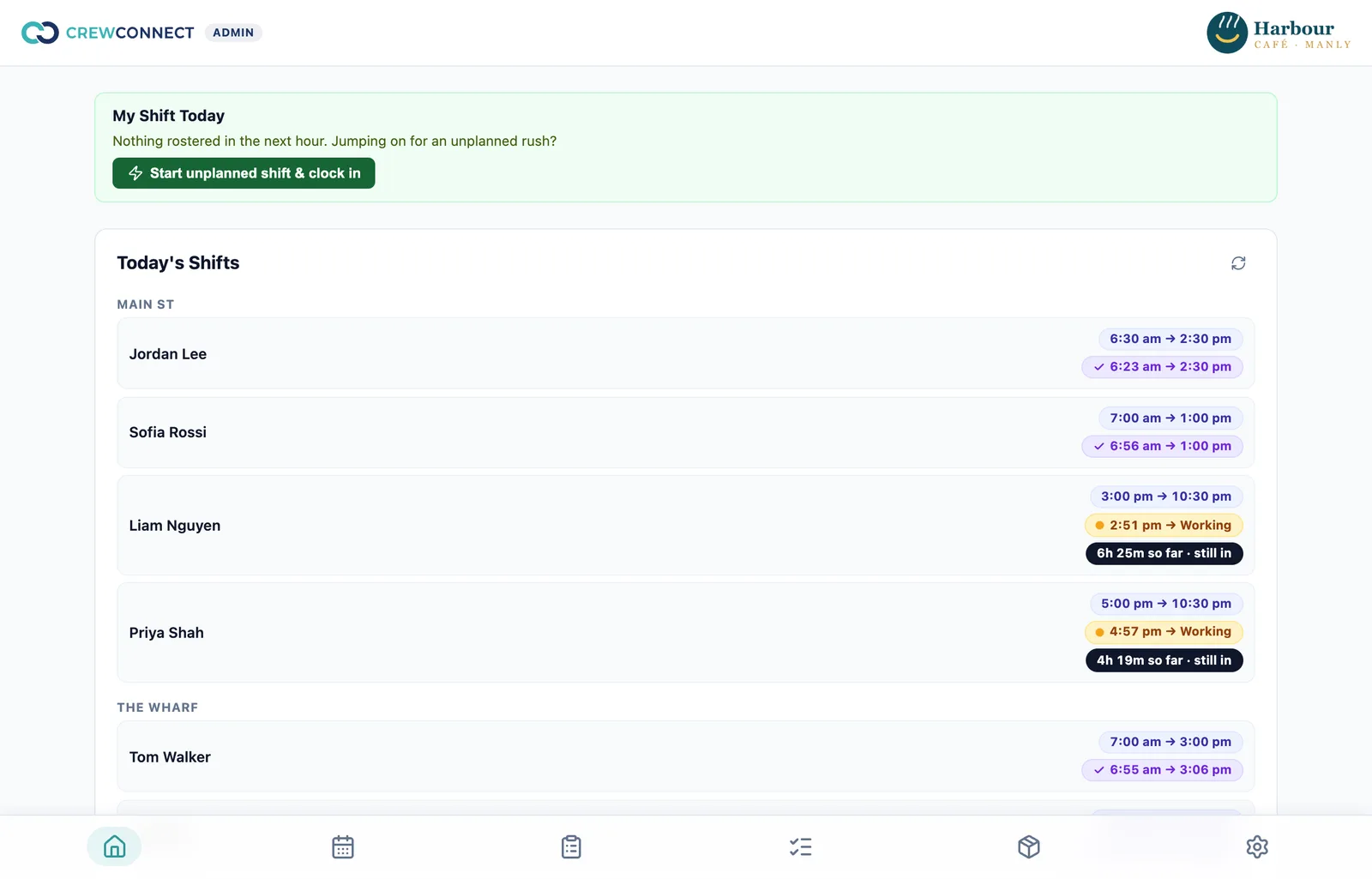
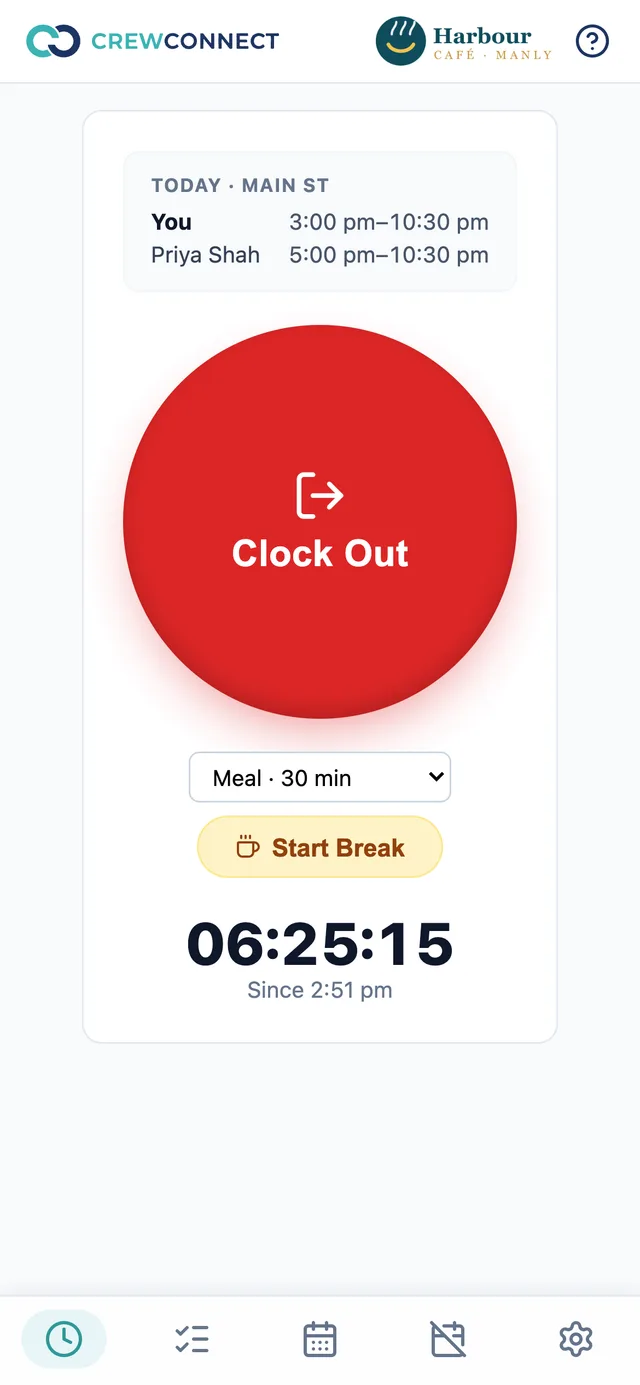
- Staff clock in on their phone. The button opens up to an hour before their shift, and the clock-in attaches to that shift.
- Breaks are tapped in and out. You set the break types for each location and whether each one is paid or unpaid. Unpaid breaks come off worked hours.
- You see who's on right now at every location, with rostered and actual times side by side.
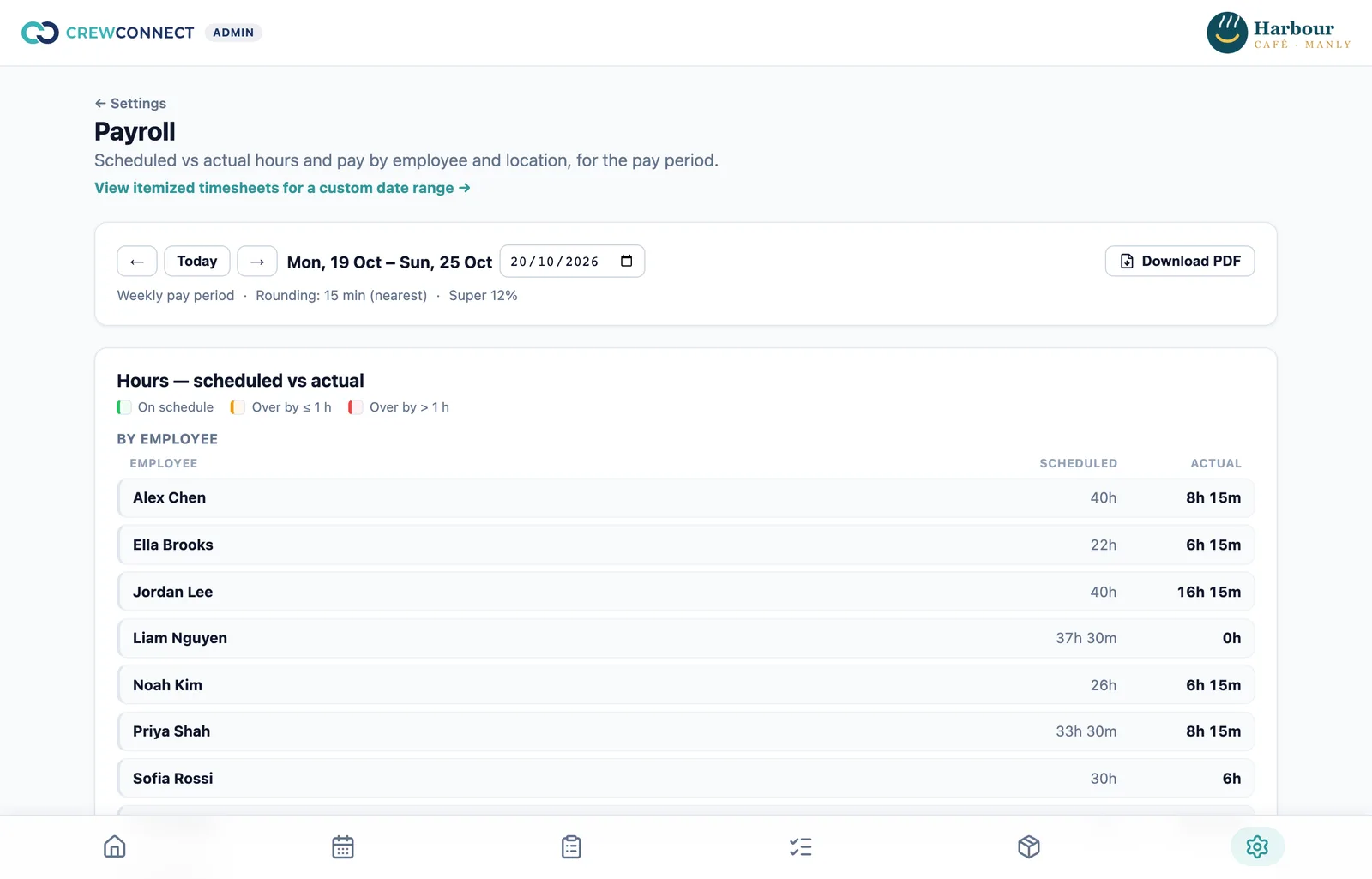
- At the end of the pay period, CrewConnect totals each person's hours and pay and gives you a timesheet PDF and a pay summary.
Rostered shifts, clock-ins, breaks and timesheets
These four things are related, and most timesheet mistakes happen in the gaps between them:
- The rostered shift is the plan: who should work, where, and from when to when. It drives the wage-cost estimate while you build the roster.
- The clock-in and clock-out are what actually happened. CrewConnect sets the time on the server, not the phone, and staff can only clock in against a rostered shift.
- Breaks sit inside the punch. Paid breaks count as worked time; unpaid breaks are deducted. If someone forgets to end a break, clocking out ends it at the same moment.
- The timesheet brings it together for the pay period: date, location, rostered times, actual clock-in and clock-out, breaks, and rostered against actual hours.
Hours and pay, worked out from your settings
You set the rules once, and CrewConnect applies them every pay period:
- Pay cycle: weekly, fortnightly or monthly, starting on the day you choose.
- Hourly rate per person, with the date it takes effect, so a pay rise lands in the right period.
- Rounding: optional, to an increment you choose (for example 15 minutes), rounding to the nearest, up or down. It applies to each person's total for the period, not to every punch.
- Superannuation at the percentage you set.
The pay summary shows rostered hours, actual hours, rate, total pay and super for each person, and totals by location. Any punch still open at the end of the period is listed separately, so it doesn't slip into the totals.
Changes you can trust
People forget to clock out. When a manager fixes a punch or a break, they have to enter a reason. CrewConnect keeps a permanent record of each change, with who made it, when, and the old and new values, and marks the punch as adjusted on the timesheet.
What CrewConnect does and doesn't do
| Area | CrewConnect today |
|---|---|
| Clocking in | Yes: on the staff member's own phone, against their rostered shift, with paid and unpaid breaks. |
| Timesheets | Yes: a timesheet PDF for each pay period, with rostered and actual times. |
| Hours, pay and super | Yes: calculated from each person's hourly rate, your rounding rule and your super percentage. |
| Award penalty rates and overtime | Not yet: pay uses each person's ordinary rate. On the roadmap. |
| Paying staff | No: take the pay summary to your payroll system or bookkeeper. |
| Payroll export | Not yet: a direct export to Xero and other payroll providers is on the roadmap. |
| Location check at clock-in | Not yet: an optional check that staff are at the venue is on the roadmap. |
| Leave balances and approvals | No: staff mark when they can't work, and you see it while you roster. |
What it costs
The time clock, timesheets and pay summary are all on Starter, free for up to 5 staff. Bigger teams move to Pro at A$5 per user per month, which also adds checklists, stock and purchase orders. New Pro customers get 50% off for the first 3 months, and setup is free on every plan.
Questions
Is the time clock free?
Yes. The phone time clock, timesheets and pay summary are on Starter, which is free for teams of up to 5 staff. Bigger teams move to Pro at A$5 per user per month.
Do staff need to download an app?
No. Staff clock in from the phone's browser and can add CrewConnect to their home screen like an app, on iPhone and Android.
Can staff clock in when they aren't rostered?
No. A clock-in attaches to that person's rostered shift for the day, so unrostered hours can't build up. A manager can add a missed punch, with a reason, if needed.
Does CrewConnect pay my staff?
No. It calculates hours, pay and super from the rates and settings you enter and gives you a pay summary. You or your bookkeeper run the pay in your payroll system.
Does it calculate award penalty rates or overtime?
Not yet. Pay is worked out from each person's ordinary hourly rate. Award rates and penalties are on the roadmap, so check penalty and overtime hours against your award when you run payroll.
Can I fix a missed or wrong clock-out?
Yes. A manager can edit a punch or a break, and has to enter a reason. The change log records who changed it, when, and the old and new times.
Try it free — we'll set it up for you.
Starter is free for up to 5 staff. Pro adds checklists, stock and purchase orders, 50% off for your first 3 months. Free setup on every plan, with support from Australia.